DJI Neo 2 drone 4K High-Quality Imaging Palm Takeoff & Landing Gesture Control Omnidirectional Obstacle Sensing ship from US warehouse
Couldn't load pickup availability
- US Stock
- 12 Months Warranty
- 7 Days Easy Replace


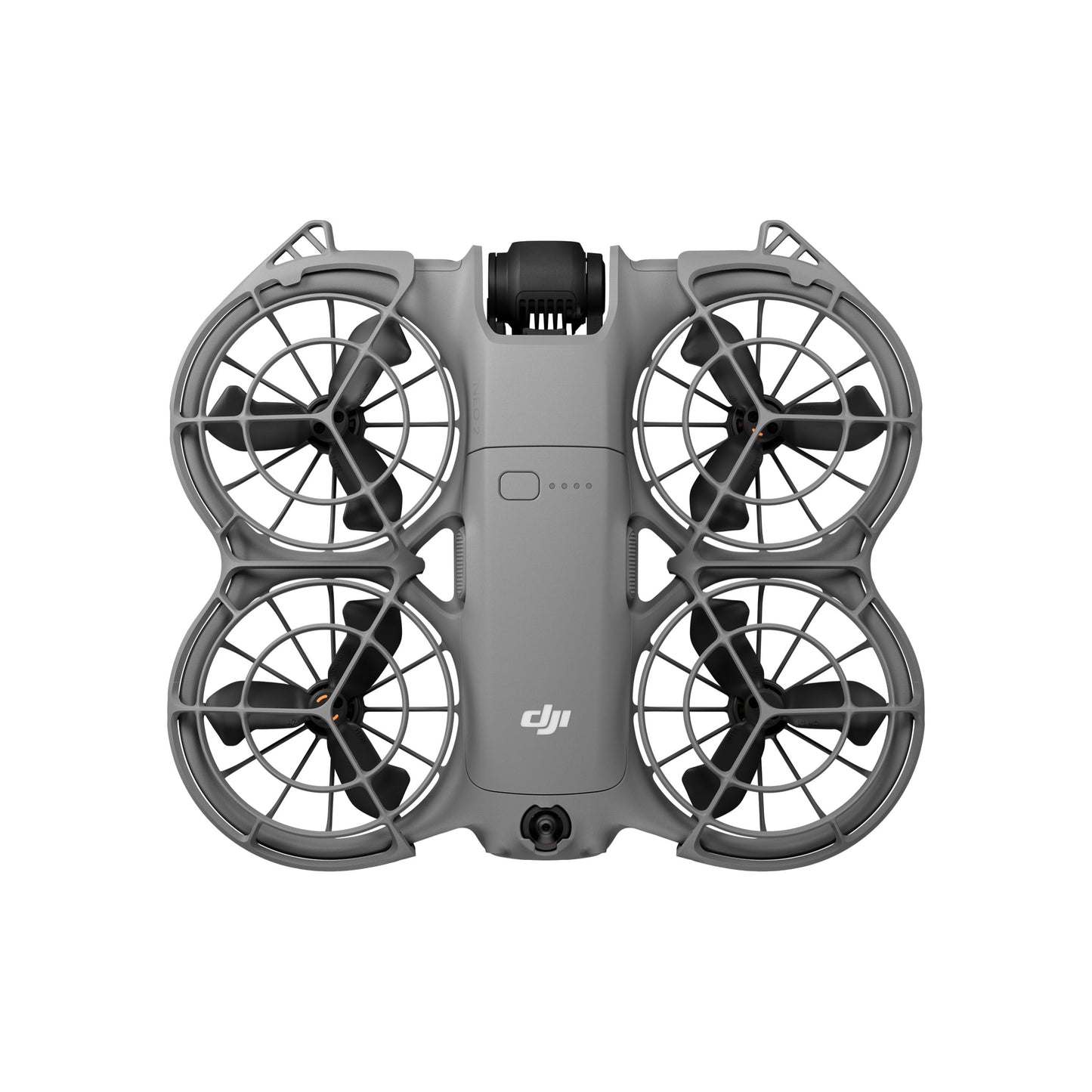
DJI Neo 2
Palm Takeoff & Landing , Gesture Control
Faster, Smoother Tracking With ActiveTrack
Easy Moment Capture With SelfieShot
Omnidirectional Obstacle Sensing and Versatile Flight
4K High-Quality Imaging
Lightweight, Portable Design With Full-Coverage Propeller Guards


1,Compared with DJI Neo, what are the main improvements of DJI Neo 2?
DJI Neo 2 has comprehensive improvements in its vision sensing system, camera system, video transmission system, and intelligent features. The main improvements include:
1. Newly added omnidirectional monocular vision system and forward-facing LiDAR: With the new omnidirectional obstacle sensing feature [1], Neo 2 can detect and avoid obstacles when tracking from the front or sides, so even beginners can operate the drone with ease, stability, and confidence. Neo 2 supports versatile flight [2], with enhanced hovering and positioning capabilities over Neo, making it easier to navigate challenging environments like indoors, near buildings, over water, or on snow.
2. Enhanced imaging performance: Neo 2 features a 12MP, 1/2-inch CMOS sensor with an f/2.2 aperture and high-performance image processor for clearer, low-noise footage. Shoot in 4K/60fps video, 4K/100fps slow motion [3], and 2.7K vertical video, all stabilized by a 2-axis gimbal.
3. New onboard display, a dedicated takeoff button, and a mode switch button.
4. New intelligent features include gesture control [4], Return to Palm [4], SelfieShot, Dolly Zoom, MasterShots, and Cycling Follow, among others.
5. Increased internal storage up to 49 GB.
2,What is the certification level of DJI Neo 2 in Europe?
DJI Neo 2 is C0 certified by the European Union Aviation Safety Agency (EASA).
3,Is DJI Neo 2 waterproof?
No. Avoid contact with water during use, as it may damage the device.
If it rains during the flight, return and land as soon as possible, and wait until the drone is fully dry inside and out before using it again.
4,Who is DJI Neo 2 suitable for?
DJI Neo 2 is a vlogging drone ideal for capturing everyday life, leisure activities, and family moments.
If you need a portable drone to instantly capture travel, camping, running, cycling, skateboarding, hiking, or parenting, DJI Neo 2 is your ideal choice.
DJI Neo 2 is suitable for users aged 16 and above.
5,What control methods does DJI Neo 2 support?
Palm control [1], gesture control [2], mobile app control [3], voice control via mobile [4], and RC control [5].
1. When using palm takeoff and landing, adhere to the following guidelines: operate in a windless environment as much as possible; extend your palm horizontally and keep it still, avoiding finger contact with the propellers to prevent injury; do not attempt to grab the drone while it is flying.
2. Follow these conditions and precautions when using gesture control: Ensure the surrounding environment is safe when using this feature, and avoid moving people, animals, or vehicles. Do not use gesture control in areas with small or thin objects (e.g., branches or power lines), transparent objects (e.g., glass or water), or solid‑colored surfaces (e.g., white walls). Use this feature only in environments with suitable lighting. Gesture control will not function when ambient light is below 5 lux or above 100,000 lux. Gesture control is supported only in Spotlight or Follow mode, and is not supported when using the remote controller or motion controller. Keep the drone approximately 2 to 5 m from the operator when using this feature. Keep your fingers fully extended when using this feature. Gesture control won’t work with thick gloves or mittens, and the subject should be completely visible in the camera frame without any obstructions. When using Return to Palm, maintain a horizontal distance of 2 to 5 m between the drone and your palm, and a vertical distance of no more than 2 m. If the function does not respond at close range, adjust the drone’s position via gesture control or move yourself to avoid visual blind spots before trying again. To make the drone fly back by raising one arm, keep it within 10 m horizontally from your arm, ensure your arm is fully extended when raised, and do not raise both arms simultaneously, as this will prevent the drone from flying back.
3. Requires connecting DJI Neo 2 to a mobile phone via Wi-Fi. The virtual joysticks on the mobile app interface are only for fine-tuning the drone's position during shooting or controlling the drone to return. It cannot provide the same control experience as a traditional remote controller. You can use a standard DJI remote controller for a professional flight control experience. To ensure flight safety, when using mobile app control, the drone is limited to a maximum height of 60 m.
4. Supports English and Mandarin only. Requires connecting DJI Neo 2 to a mobile phone via Wi-Fi.
6,What intelligent shooting modes does DJI Neo 2 offer?
DJI Neo 2 offers a range of intelligent shooting modes.
For palm control or mobile app control, DJI Neo 2 supports Follow, Cycling Follow, SelfieShot, Dolly Zoom, MasterShots, Dronie, Circle, Rocket, Spotlight, Helix, Boomerang, and more.
When controlling with a remote controller, DJI Neo 2 supports multiple QuickShots modes.
Once DJI Neo 2 is activated and updated to the latest firmware, the drone will have Follow, SelfieShot, Dronie, Circle, and Rocket enabled by default. Other features can be added and reordered in Custom mode via the DJI Fly app.
7,How user-friendly is DJI Neo 2's palm control?
Palm control is simple to use. Even those with no drone experience can get started quickly.
DJI Neo 2 can take off and land from and onto your palm and perform intelligent filming by locking onto the subject using visual algorithms*, all without the need for a remote controller or any auxiliary device.
*Currently, only human subject tracking is supported; tracking other subjects is not available.
8,Does DJI Neo 2 support obstacle sensing?
Yes. With the new omnidirectional obstacle sensing feature* Neo 2 can detect and avoid obstacles when tracking from the front or sides, so even beginners can operate the drone with ease, stability, and confidence.
9,What image stabilization technologies does DJI Neo 2 support?
Supports RockSteady and turning stabilization off.*
*The stabilization switch (On/Off) is only available when paired with goggles. When stabilization is turned off, footage captured supports offline stabilization with Gyroflow.
10,What functions can be achieved after connecting DJI Neo 2 with the DJI Fly app?
After connecting DJI Neo 2 with the DJI Fly app, you can check live feeds of the drone, adjust shooting parameters, and quickly transfer footage to your mobile phone.
When operating Neo 2 with the DJI Fly app or using the RC-N3/RC-N2 remote controller, you can use either your phone’s microphone or DJI Mic 2 for audio recording. DJI Neo 2 also supports voice control when operated with the DJI Fly app.
Once the footage captured by DJI Neo 2 is imported into the DJI Fly app, you can add Glamour Effects or quickly edit the footage for instant video creation.
11,What are the charging options for DJI Neo 2? How long does it take to fully charge?
There are two charging methods: Using the Two-Way Charging Hub or charging via the aircraft body.
1. When using the Two-Way Charging Hub (65W max charging power): Approx. 68 minutes to charge three batteries simultaneously from 0% to 100%
2. When directly charging the aircraft body (15W max charging power): Approx. 70 minutes to charge from 0% to 100%
The number of batteries that can be charged simultaneously depends on the power of the charger used. Using a charger rated above 45 W allows you to charge three batteries at the same time. Using a charger rated between 30 W and 45 W allows you to charge only two batteries simultaneously. Using a charger below 30 W will charge the batteries sequentially, from the highest remaining charge to the lowest. Refer to the charging protocols supported by the charger.
Charging time is measured in a test environment with a temperature of 25° C (77° F). Actual charging time may increase due to higher ambient temperatures or variations in mains voltage between regions.
12,When should I install and use DJI Neo 2 Digital Transceiver, and when should I avoid it?
When flying the drone with a remote controller or goggles, install DJI Neo 2 Digital Transceiver for stable, low‑latency video transmission.
When using palm control only, remove the DJI Neo 2 Digital Transceiver to reduce aircraft weight and extend flight time.
For detailed instructions on installing, removing, and using DJI Neo 2 Digital Transceiver, refer to the product's user manual.
✅Authenticity Guarantee & After-sales Service
- Authorized Distributor: FFCART is an officially authorized DJI and Insta360 distributor. All our products come with original serial numbers, which can be verified for authenticity on the official DJI website.
- Warranty Period: All main units are covered by a 12-month official warranty, while batteries and accessories carry a 6-month warranty.
- Warranty Coverage: The warranty covers non-artificial hardware malfunctions, including defects of motors, gimbals and transmission systems.
- After-sales Process: For repair or replacement requests, submit your application via the contact page on our store. We will respond and arrange relevant services within 1 working day.
- Return & Exchange Policy: Items with quality defects are eligible for return and exchange within 7 days upon delivery, provided that all original packaging and full accessories are intact.

All orders are stocked and shipped directly from our local warehouse in the United States.
Your order will be processed and dispatched within 1–3 business days after successful payment confirmation. Once shipped, you will receive a tracking number via email, enabling you to monitor your package’s full delivery journey. With domestic US delivery, you can enjoy faster transit times and reliable after-sales support.